● The studio operating system
Monday tracks your tasks. Orbit runs your studio.
Review and deliver the work, plan every shot, take the invoice to paid, and step into a voice room with the team — one place, one truth, in one desktop app.
Four subscriptions, one dataset
The tour
Forty-eight seconds inside a working studio.
The Windows app your team works in, start to finish: review, shots, money, rooms and Ask Orbit.
Review & delivery
Review that ends in a decision, not a thread.
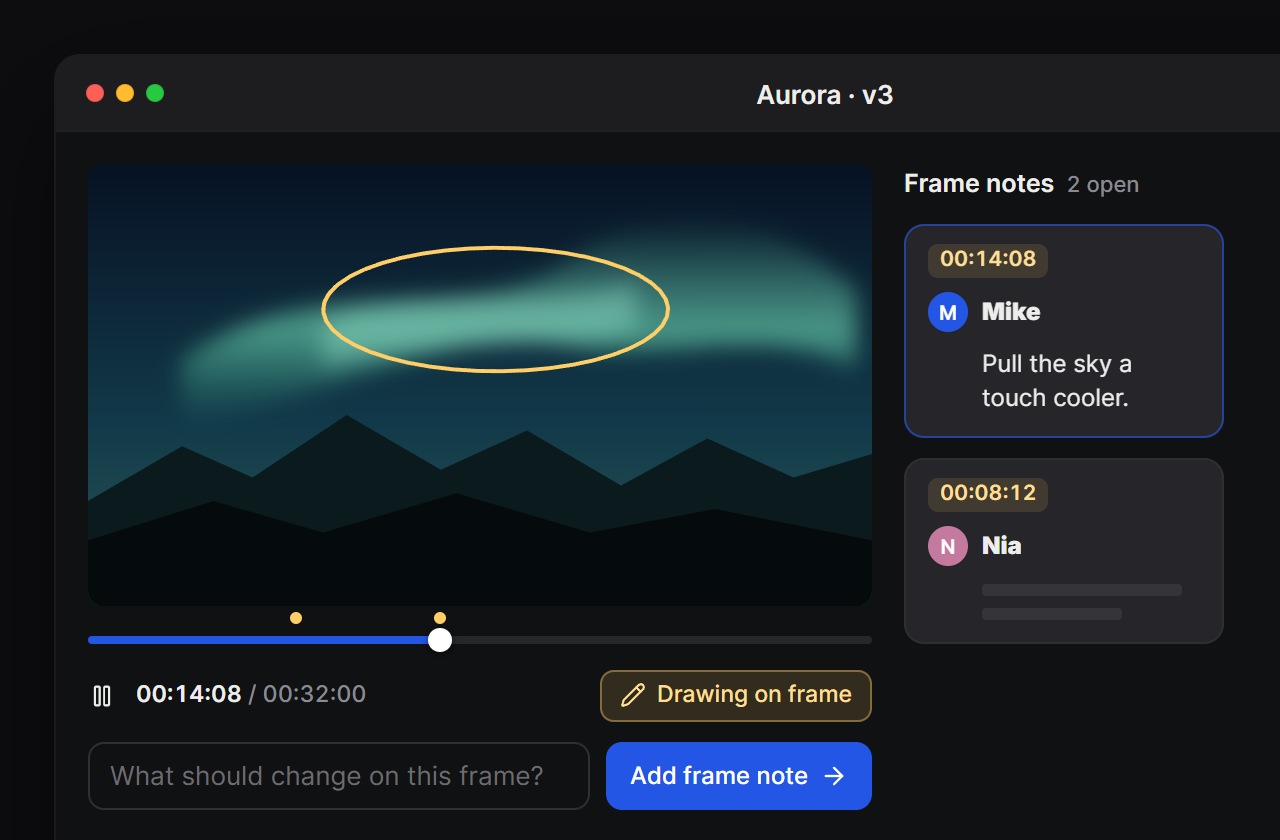
Frame-accurate scrubbing, timecoded notes, drawings on the frame. Client decisions land on the project and in your notifications.
- Version stacksv1 to v3, side by side. Compare without downloading a thing.
- Notes that move ComingA note on the frame becomes a task on the shot. No retyping.
- Client links with teethPassword, expiry, watermark, view limit, download on or off — and a log of who watched.
- Hand-offs with a linkPaste the download link, pick who’s next, and they’re notified it’s ready.
Shots & timeline
When one shot slips, the rest move with it.
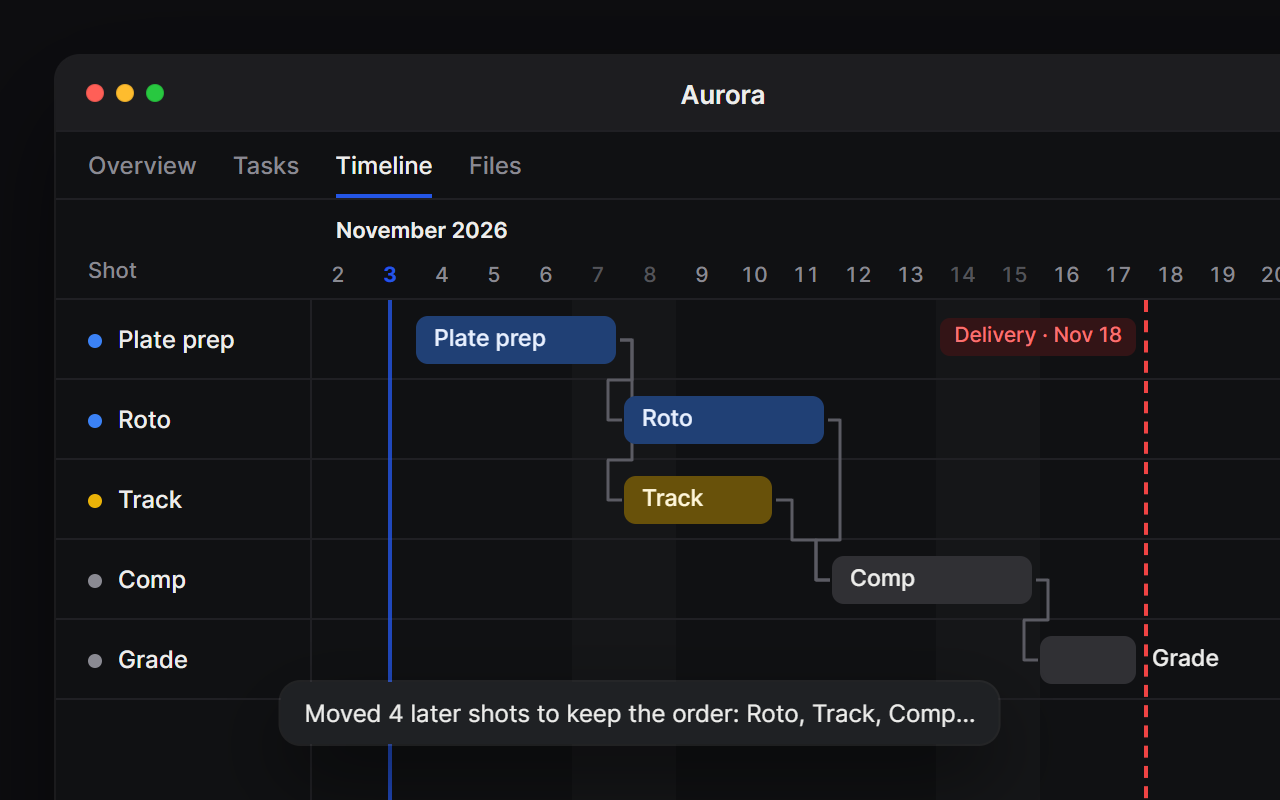
Every project has a shot list with stages, priorities and estimates, and a Timeline tab to plan it on. Link the shots that wait for each other, then drag one later: Orbit moves everything downstream and tells you what it moved.
- Shots, not just tasksStage, priority, start and due dates, hours, and sub-shots under a parent.
- Dependencies you can seeDrag the dot from one bar to another. A shot that starts too early turns its link red.
- The delivery date on the chartToday and the project's delivery sit on the timeline, so a slip that threatens it is plain.
Invoice to paid
The work, the invoice, and the money — one thread.
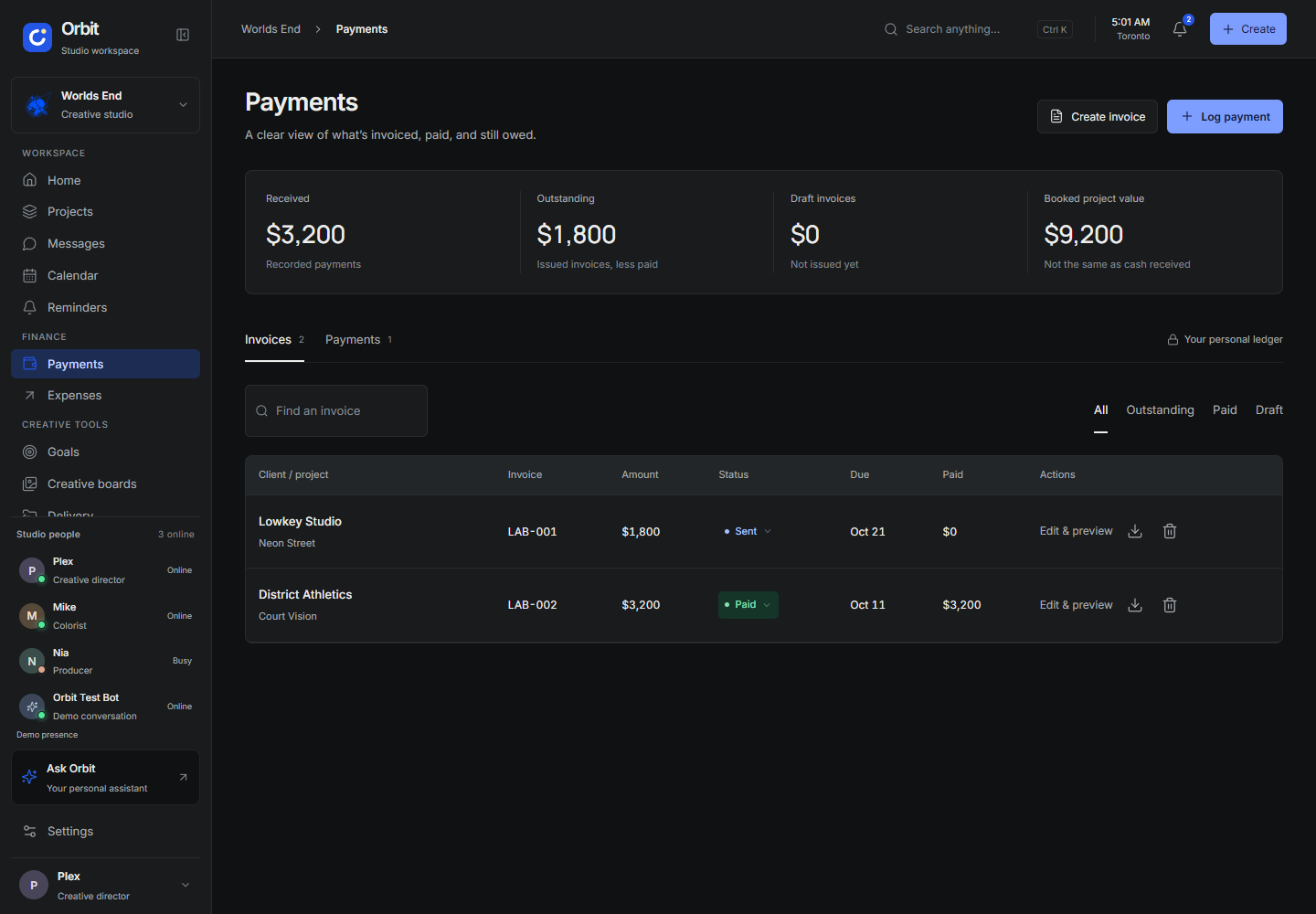
Draft an invoice in your studio’s own template, export it, log payments as they land, and see what’s received and what’s still outstanding, project by project.
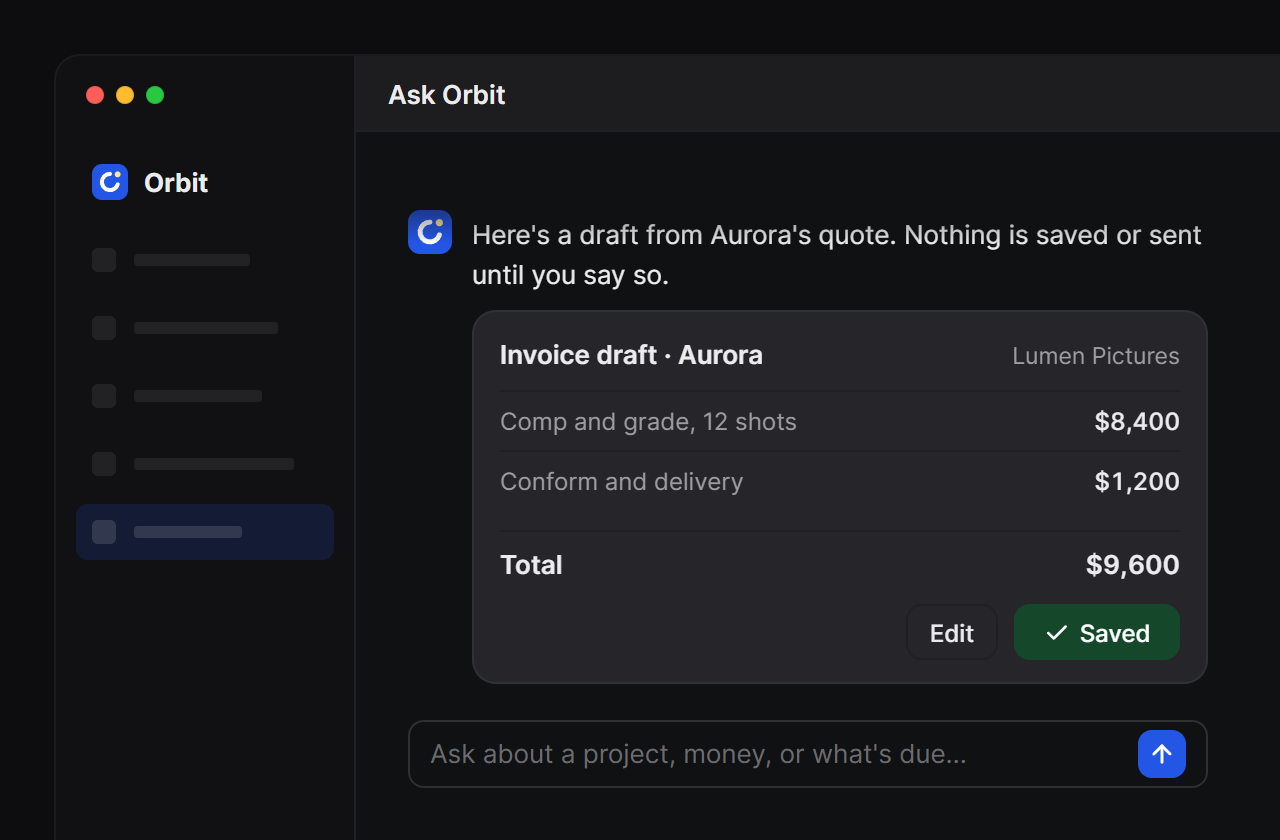
- Ask Orbit drafts the invoice“Invoice Aurora” gives you a draft to review. Nothing is saved or sent until you say so.
- Card payments and tax ComingStripe checkout with GST/HST is on the roadmap. Today you log payments as they arrive.
- Receivables you can trustReceived, outstanding and booked are three different numbers — and they never blur.
Voice rooms
The room where the work actually gets decided.
Rooms live inside the desktop app: mic, screen share from Orbit’s own picker with system audio, chat and raise hand. Hand someone control of your screen, and take it back from anywhere with Ctrl+Alt+Esc.
- Always one click awayThe studio lounge and review rooms sit in the sidebar. See who’s in before you join.
- Client guests in the browser ComingA guest link with a lobby the host controls.
- Screen control stays homeRemote control is desktop-only, by design. Viewers get the stream, not the mouse.
 Nia is sharing · Aurora_v3_review.mp4
Ask Orbit
It knows your studio. Not the internet.
Ask Orbit answers from your projects, deliveries and invoices — and it can draft the invoice, summarise the review, or tell you what needs you this week. Answers come from your workspace, and Orbit doesn’t train models on your studio.
The honest comparison
What you stop stitching together.
Review, rooms, tasks and money aren't four products with four logins. Here's the category map — check each vendor for the features that matter to you.
| Capability | Orbitone subscription | Frame.ioreview | Louperlive rooms | Mondaytasks | QuickBooksaccounting |
|---|---|---|---|---|---|
| Frame-accurate review & annotations | ✓ | ✓ | live only | — | — |
| Client share links, watermark & view log | ✓ | ✓ | partial | — | — |
| Voice rooms & screen share | ✓ | — | ✓ | — | — |
| Project status & shot tasks | ✓ | — | — | ✓ | — |
| Invoice → paid, per project | ✓ | — | — | partial | ✓ |
| Timeline with dependencies | ✓ | — | — | ✓ | — |
| Review, money and rooms in one app | ✓ | — | — | — | — |
Category comparison only; each vendor's plans and features change. Orbit's row reflects this product's scope.
Founding studios
The first hundred studios shape the roadmap — and keep the price.
Orbit is free during the beta. Founding studios then get two months free, direct access to the build, and a locked rate for as long as they stay. We’re capping it at 100 so the support stays real.
Counting the founding list…
Questions
Before you move the studio over.
How do we get Orbit?
Is there a web or phone version?
What happens to the tools we already use?
Who can see our client media?
What will it cost?
Is there an annual option?
How is our work kept private?
Run the next project in Orbit.
Join the waitlist. The first 100 studios get a founding spot: free during the beta, two months free after it, and a rate that stays.
No card, no commitment. Nothing is charged during the beta.